 |
 |
 |
 |

 |
 |
 |
 |
 |
 |
|
Recent Posts Released! The Registration User Interface Generating Unique Registration Numbers My Product Registration Solution Still Thinking About Product Registration The Leopard Dilemma iPhone Envy C4 - Day 3 C4 - Day 2 C4 - Day 1 |

Generating Unique Registration Numbers
Wednesday, May 7, 2008
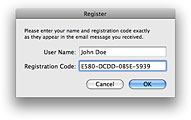 So before I can write any user registration routines, I need to figure out a way to generate a unique registration number for each user.
Kenneth Ballenegger recently blogged about various ways to generate registration numbers. My technique is similar. This isn’t rocket science.
My goal is to generate a number that the user can read off of a piece of paper and type into a dialog box. If you’ve ever typed in a registration number, you may have noticed that one of the biggest problems is telling the difference between the uppercase letter i and the lowercase letter L. Or between O and 0.
I want the registration number tied to the user’s name. And I want to be able to use the same Objective-C classes for multiple products, so I’ll need to include a unique product specifier into the number so the user can’t purchase one product and use his registration number with a different product. I’ll keep this string a secret, and it will be the salt described in Kenneth’s post.
Finally, although it’s not a feature I need now, I wan want be able to enable additional functionality through the registration number. For example, I might want to let the program know it’s a 5-user license, or that the user has paid for the Full Screen Mode option.[1]
So I decided that an easy solution is to convert a combination of a secret product-specific identifier, the user’s name, and any extra licensing info into a string. Then I’ll get the MD5 hash representation of the string. An MD5 is expressed as a 32-character string of hexadecimal numbers. I want shorter registration numbers, so I’ll truncate the MD5 to just 16 characters, and toss in some dashes for readability. Then I’ll append the license info at the end of the registration number so it’s available at runtime. Shazam! A registration number that meets my needs.
An MD5 value works very well for a registration number since it consists only of numbers and the letters A through F (hexadecimal values). Unlike registration numbers that use the letters A-Z, hexadecimal values do not include the letters I, L, or O, so there’s a smaller chance of confusing these letters with the numbers 1 and 0.
Here’s the plan...
The Secret Key
First, we need a secret key to make the registration numbers for this application differ from other applications. Select the secret key as you would a password: something that can’t easily be guessed. We’ll assume that anyone wanting to crack the application has read this blog entry, so if they could guess the secret key they would just need to follow these instructions to generate their own registration numbers.
It’s a good idea to make the secret key obscure, as you would a password, so that it isn’t easily spotted by just opening up the executable code in a text editor. “MySecretKey01” is easer to spot than “K-%99w4y” when you’re viewing raw binary code.
Of course, a talented cracker can look watch your program at runtime in a debugger and get the secret key. But if they have that level of ability, there are lots of other ways they can circumvent the registration scheme anyway, so we’re not going to worry about them.
If we release a new version that requires an upgrade fee, we can just change the secret key, requiring users to get a new registration number.
Input Values
The input string from which we’ll generate the MD5 is a combination of these strings:
user name
license information
These values are combined into a single string separated by two colons (“::”). There’s no special reason for the colons, other than it’s a little bit easier to read in the debugger. Then the entire string is converted to a UTF-8 format to ensure that an identical registration number will be generated regardless of the platform. This will be important if we’re generating registration numbers from a web server running on Windows or Unix.
The license information can be any string you want to make available to the program at runtime. However, it should be relatively short, since it will be appended to the registration number. If you have more than two or three characters of license info, you might want to use just 12 characters from the MD5 instead to shorten the overall length of the registration number.
Finally, these strings will be concatenated and used to generate an MD5 value.
Formatting
Rather than using the entire 32 character MD5 value, we’ll use just the first 16 characters. We don’t really need the security of using all 32 characters — 16 characters will be more than adequate for a registration number. Dashes are also added after every four characters to make the number easier to read.
Verification
It’s not possible to take an MD5 value (especially a partial one) and convert it back to the original string used to create it. So instead, the application uses the same process as the registration generator to create a registration number, and this number is compared to the one entered into the registration dialog by the end user. If the registration numbers match, we know the registration number is valid and we store it and the user name in a hidden file.
Each time the program is launched, the registration number is retrieved from the hidden file and this process is repeated to verify that the saved registration number is still valid.
An Example
To clarify this process, we’ll use an example. Let’s say we have selected “K-%99w4y@” as our secret key, and that we want to generate a registration number for a customer named John Doe. Additionally, we want to indicate that the user has purchased a 5-user license, so we want to incorporate “5-user” into the registration number. In practice, it might be better to add just “5” to the registration number, but “5-user” works better for this example. We could use any string, as long as we understand its significance.
First, we’ll concatenate the strings into one string we can pass to an MD-5 routine. We’ll separate each of the input strings with two colons (“::”). This is done just to make the string slightly easier to read during development. We combine the strings in this order:
So our input string for this example looks like this:
Even if no license information is added, the two-colon separator would still be included after the user name for consistency:
Note that any of the input values may already include the “::” character sequence. That’s not a problem, since we’re never going to try to parse this data into its separate elements. The colons are just added for human readability while debugging.
Just to avoid problems, none of the input values should contain a carriage return or a line break.
Next, before generating an MD5 value from this string, the string is converted to an ISO 8859-1 representation. Since none of our text includes any high-ASCII characters, it still looks the same after this conversion:
And finally, the input string is converted to an MD5 value, and we convert that into a human-readable string. The MD5 string for our example looks like this:
Now we take the first 16 characters and toss in a few dashes. We also convert the letters to uppercase:
Since we can’t reverse this to get the original information used to create it, we need to append the license information. Remember the user has a field to type his name into, so we have that. But having a license info field too would be confusing. So we’ll tack it onto the registration number, separated by a slash, so we can procedurally get at it at runtime. Now the user gets a registration number that looks like this:
This is actually nice, because it makes it clear for both the end user and developer that this is a 5-user license. We can get this value at runtime to enable additional functionality or allow additional users (if we’re actually bothering to check the network for other instances of the application). Or we can just display it in the About box.
The user can’t change the "5" into another number when entering the registration number, because that would generate a different MD5 value internally, and the test to ensure that it’s a valid registration number would fail.
If no license info is needed, we’ll just give the user the registration number without anything after it:
Implementation
Don’t worry, I’m not a tease. I’ll post a demo project soon so you can see how I’ve implemented this.
Footnotes:
1. Yes, I just made that up. I don’t have any products with a full screen mode, and I don’t think I’d ever charge extra for that if I did.

